A data set can be created using any program capable of producing a CSV (comma-separated values) file. For example, you could prepare your dataset using Excel. To be used by Simply Tagging the file must be in the correct format. The easiest way to understand how to create a data set is to open one of the demonstration data sets.
DemoFull.csv is an example of a data set where individual capture histories have been entered.
Jolly_summary.csv is mark-recapture summary data organised for the Jolly-Seber method, and
Closed_summary.csv holds the summary data needed for the closed methods.
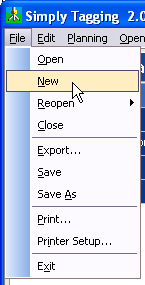
To create a new data set within Simply Tagging select File: New from the drop-down menus.
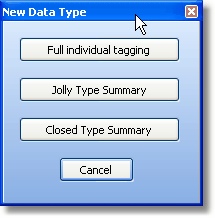
You will be presented with a window that offers 3 types of data for entry; Full individual tagging, Jolly-Seber summary and Closed summary.
Full individual tagging
If you have selected to enter the capture history of each individual, you will be presented with an empty grid which you will need to fill in for every individual.
Subsetting your data by size or sex
Jolly-Seber summary
If you have selected to enter your data as a Jolly-Seber summary table, then you will be asked to enter the number of samples taken and will then be presented with an empty grid which you will need to fill.
Closed summary